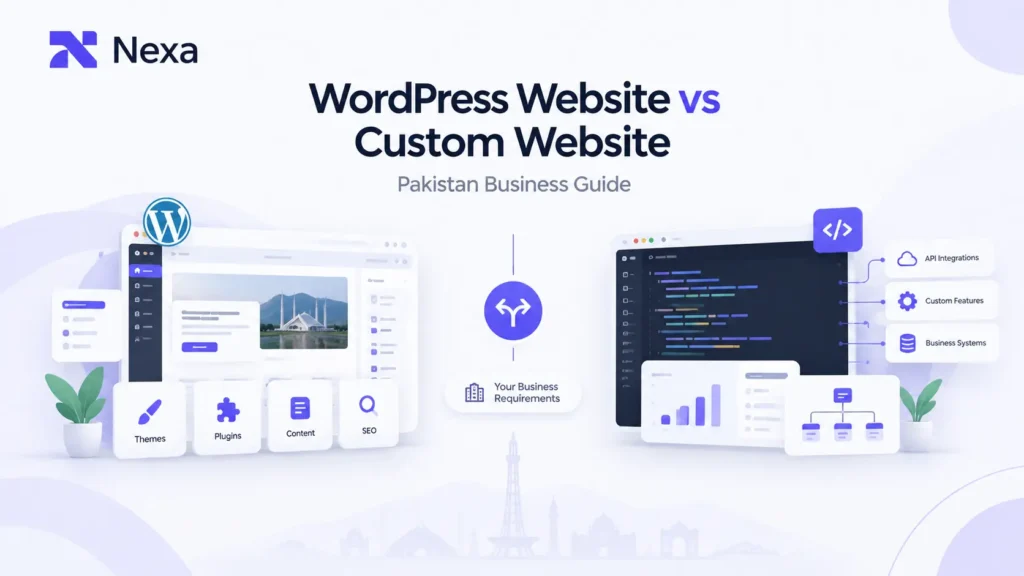
Choosing between a WordPress website and a custom-built website can be difficult, especially when both options can produce a professional, mobile-friendly, SEO-ready business website.
For a small business, startup, service company, or online store in Pakistan, the better question is not simply “WordPress or custom website?” It is:
What does your business actually need now, and what will it need as it grows?
A standard business website may not need custom development from the ground up. On the other hand, a company with unusual workflows, complex integrations, advanced dashboards, or highly specific functionality may eventually outgrow a conventional WordPress setup.
This guide compares WordPress vs custom website development across cost, design, SEO, speed, security, maintenance, ecommerce, integrations, scalability, ownership, and business requirements so you can make a more informed decision.
WordPress vs Custom Website: Quick Answer
There is no universal winner.
WordPress is often a practical choice for businesses that need a content-managed website, standard business features, frequent publishing, or an ecommerce store built around established functionality.
Custom development becomes more relevant when a business needs highly specific workflows, bespoke functionality, advanced integrations, custom dashboards, or a website that behaves more like a business application.
The decision should therefore be based on requirements rather than assumptions about the technology itself.
| Factor | WordPress Website | Custom Website |
| Initial development | Often simpler for standard requirements | Usually more planning and development work |
| Content management | Strong CMS capabilities | Depends on the CMS/admin system built |
| Design flexibility | High with themes, blocks and custom work | Very high |
| Custom functionality | Possible through plugins and development | Built specifically around requirements |
| Ecommerce | WooCommerce and other solutions | Fully bespoke ecommerce functionality is possible |
| SEO | Strong when properly configured | Strong when properly engineered |
| Performance | Depends heavily on implementation | Depends heavily on architecture and code quality |
| Maintenance | Core, theme and plugin maintenance may be required | Ongoing application/code maintenance may be required |
| Integrations | Plugins or custom integrations | APIs and custom integrations can be built around workflows |
| Scalability | Suitable for many businesses | Useful for highly specialized or complex systems |
| Ownership | Open-source platform, but implementation ownership still needs to be clarified | Ownership depends on the contract and development arrangement |
| Best fit | Content-led and standard business websites | Complex, highly customized requirements |
What Is a WordPress Website?
WordPress is an open-source content management system (CMS) that allows businesses to create, manage, and publish website content. It can be extended using themes, plugins, custom development, and other components. WordPress’s official documentation describes plugins as a way to extend the functionality already provided by WordPress.
This makes WordPress flexible for many common business requirements.
A WordPress website may work well for:
- Company websites
- Service-based businesses
- Blogs and publishers
- Personal or professional websites
- Local business websites
- Landing pages
- Content-heavy websites
- Many small and medium-sized ecommerce businesses
The important distinction is that WordPress itself is not the same thing as a ready-made template website.
A WordPress website can range from a simple theme-based site to a highly customized implementation with tailored design, custom functionality, carefully selected plugins, and developer-built features.
What Is a Custom Website?
A custom website is developed specifically around a business’s requirements rather than relying primarily on an existing CMS structure and plugin ecosystem.
That does not necessarily mean every component is created from nothing. A custom project can involve different technologies, frameworks, databases, APIs, CMS components, or application architectures depending on what the project requires.
Custom development can be appropriate when a business needs things such as:
- Unique business workflows
- Custom dashboards
- Advanced user roles
- Bespoke calculators or tools
- Complex booking systems
- Specialized portals
- Custom databases
- API integrations
- Advanced third-party integrations
- Specialized ecommerce logic
- Business automation
- Web applications
The main advantage is control over how the website or application is structured around the business problem.
That flexibility also means more decisions, more development work, and potentially greater responsibility for ongoing maintenance.
WordPress vs Custom Website Cost in Pakistan
Cost is one of the first questions Pakistani businesses usually ask, but comparing the two platforms using only the initial development price can be misleading.
A better calculation considers the total cost of ownership.
WordPress costs can include:
- Domain
- Hosting
- Design and development
- Premium themes where applicable
- Premium plugins or extensions where applicable
- Custom development
- Security and maintenance
- Backups
- Performance optimization
- Future feature work
Custom development costs can include:
- Discovery and requirements analysis
- UX/UI design
- Front-end development
- Back-end development
- Database architecture
- API development or integration
- Testing
- Deployment
- Hosting
- Security maintenance
- Future enhancements
For a deeper discussion of website project pricing in Pakistan, see Nexa’s guide to Website development cost in Pakistan.
The key point is simple:
Do not compare a basic WordPress website with a fully custom web application as though they are equivalent projects.
The scope is what drives much of the difference.
WordPress vs Custom Website for Small Business
For many small businesses, the most important requirements are relatively straightforward:
- A professional online presence
- Clear services or products
- Contact information
- Lead forms
- Mobile-friendly pages
- Fast loading
- Basic SEO foundations
- Content management
- Integration with commonly used business tools
A well-planned WordPress website can be a practical fit when those are the primary needs.
A custom website may make more sense when the business requires functionality that is difficult to reproduce cleanly through existing WordPress components or when the site is becoming an important operational system rather than simply a marketing website.
For example, a local service business that mainly needs pages, enquiries, location information, FAQs, and regular content updates may not need a highly specialized development architecture.
But a company that needs customer dashboards, complex booking rules, internal workflows, custom data processing, or multiple systems communicating with one another has a different requirement.
The right decision comes from the business workflow, not the size of the company alone.
WordPress vs Custom Website for Ecommerce
Ecommerce deserves separate consideration because an online store has more moving parts than a standard brochure website.
A WordPress-based ecommerce store can use WooCommerce. WooCommerce describes itself as a customizable, open-source ecommerce platform built on WordPress, with functionality for products, orders, shipping, payments, and extensions.
That can make WordPress a useful option for businesses that want an ecommerce platform with established functionality and the ability to manage content and products through a CMS.
A custom ecommerce website may become more appropriate when the business needs:
- Unusual pricing rules
- Complex product configuration
- Custom order workflows
- Multiple internal systems
- Advanced customer portals
- Custom inventory logic
- Specialized marketplaces
- Highly customized checkout processes
- Deep API integrations
What about Pakistani payment requirements?
This is one area where local business requirements matter.
Easypaisa currently offers an online payment gateway for businesses, while JazzCash also provides online payment-gateway solutions and merchant integration options.
That means the important question is not merely whether a platform “supports online payments.”
You should ask:
Can the chosen website architecture support the exact payment flow, checkout experience, merchant requirements, and integration method your business needs?
For some businesses, an existing ecommerce extension may be sufficient. For others, a custom integration may be necessary.
The same principle applies to courier systems, CRMs, accounting software, inventory platforms, ERP systems, and other third-party services.
WordPress vs Custom Website for SEO
A common misconception is that choosing WordPress automatically makes a website better for SEO.
It does not.
Google’s current Search Essentials emphasize fundamentals such as helpful, reliable, people-first content, crawlable links, and technically accessible pages. Google also recommends using words people actually search for in appropriate parts of a page.
In other words, the platform alone does not determine SEO performance.
A WordPress website can have strong SEO foundations, but poor themes, unnecessary plugins, weak information architecture, slow pages, duplicate content, poor internal linking, or technical problems can still hurt the overall experience.
A custom website can also be SEO-friendly, but developers need to deliberately build important foundations such as:
- Crawlable navigation
- Proper URLs
- Metadata
- Canonical handling
- Structured data where appropriate
- Fast rendering
- Mobile usability
- Internal linking
- Indexation controls
- Redirects
- Search-friendly content architecture
Google also says its normal SEO best practices remain relevant to AI features such as AI Overviews and AI Mode, with no separate AI-only technical requirements for eligibility.
So the better question is not:
“Is WordPress better for SEO?”
It is:
“Which implementation will allow this business to create, manage, crawl, and optimize its website effectively?”
WordPress vs Custom Website Speed
Website speed depends on implementation, not simply on whether the website uses WordPress or custom code.
A WordPress website may become unnecessarily heavy because of:
- Too many plugins
- Poorly coded plugins
- Heavy themes
- Excessive scripts
- Large images
- Unoptimized third-party services
- Inefficient hosting or configuration
WordPress’s own documentation explains that plugins extend website functionality and notes that plugins vary in quality, which is one reason responsible plugin management matters.
A custom website can give developers more direct control over the underlying architecture, but custom code is not automatically fast. Poorly designed custom systems can also produce slow pages, inefficient queries, excessive JavaScript, or expensive server operations.
Core Web Vitals matter on both
Google’s Core Web Vitals focus on loading performance, responsiveness, and visual stability.
The current metrics are:
- LCP: measures loading performance
- INP: measures responsiveness
- CLS: measures visual stability
Google recommends aiming for LCP within 2.5 seconds, INP below 200 milliseconds, and CLS below 0.1 for a good user experience.
So rather than asking which platform is “faster,” evaluate the actual implementation.
For businesses already dealing with slow pages, Nexa also has a dedicated resource on Website speed optimization.
Website Security: WordPress vs Custom
Security is another area where simple comparisons can be misleading.
WordPress websites require attention to the WordPress core, themes, plugins, credentials, hosting, backups, configuration, and ongoing updates.
WordPress documentation specifically recommends keeping plugins and themes updated as part of maintaining site security.
Custom websites have a different maintenance profile. There may be less dependency on a large plugin ecosystem, but the development team remains responsible for the application code, dependencies, infrastructure, authentication, access controls, updates, backups, and other security requirements.
So neither option should be described as automatically secure.
A more useful question is:
Who will maintain the website, how will updates be handled, and what happens when a security issue is discovered?
Website Maintenance and Long-Term Ownership
Maintenance is sometimes overlooked during the initial website decision.
With WordPress, maintenance can include:
- Core updates
- Plugin updates
- Theme updates
- Compatibility checks
- Backups
- Security monitoring
- Performance checks
- Content updates
With custom development, maintenance may involve:
- Application updates
- Framework or dependency updates
- Server maintenance
- Security patches
- Database maintenance
- Bug fixes
- Feature enhancements
- API changes
The workload depends on the implementation.
Ask about ownership before development begins
Regardless of platform, clarify:
- Who owns the domain?
- Who controls hosting?
- Who has administrator access?
- Who owns the website content?
- Who controls the database?
- Who can access the source code where applicable?
- Can the business change developers later?
- What happens if the agency relationship ends?
- Are third-party licenses tied to the agency?
This is particularly important for avoiding unnecessary vendor lock-in.
WordPress itself is open-source and licensed under GPL, but that does not automatically mean every practical part of a specific website relationship is independent of the developer or agency. Project-level access, hosting ownership, proprietary code, paid licenses, and contracts still matter.
Website Scalability: Which Option Handles Growth Better?
The word “scalable” is often used too loosely.
A website can grow in several different ways:
Traffic growth: More visitors
Content growth: More pages and articles
Catalog growth: More products
Functional growth: More features
Operational growth: More internal workflows
These do not create the same technical requirements.
A WordPress website can be suitable for substantial content and ecommerce requirements when it is well planned and maintained.
Custom development becomes more attractive when the business is building functionality that is highly specific to its operations.
For example, adding more blog posts and service pages is a very different scaling problem from building a multi-role business platform with custom dashboards and multiple API connections.
Source Code Ownership and Vendor Lock-In
There are two related but different questions:
Can you use the website?
and
Can you control, maintain, and move the website?
A business should think about both.
Before starting a project, ask the developer or agency what happens if you want to:
- Move hosting
- Change developers
- Redesign the site
- Export your data
- Rebuild the website
- Integrate a new system
- Add another development team
For WordPress, the platform itself is open source. For custom development, ownership and transferability depend heavily on the project agreement and what is actually delivered.
A lower initial price can become expensive later if the business cannot easily access or transfer important components of its website.
When Should You Choose WordPress?
WordPress may be a sensible fit when:
- Your business needs a content-managed website
- You publish content regularly
- You need a company or service website
- Your ecommerce needs fit established WooCommerce functionality
- You want a familiar CMS
- You need standard business integrations
- Your requirements are clear and relatively conventional
- You want to expand gradually
This does not mean every WordPress project should be built from a generic theme.
A WordPress site can still use custom design and development to create a brand-specific experience.
When Should You Choose a Custom Website?
Custom development may be more appropriate when:
- Your business has unusual workflows
- You need custom business logic
- You require advanced dashboards or portals
- You need deep API integrations
- Your website is closely tied to internal systems
- You need functionality that existing plugins cannot provide cleanly
- You are building a web application
- Your requirements are likely to evolve in highly specialized ways
At this stage, the project may be moving beyond a conventional marketing website.
For businesses that need software systems, automation, dashboards, web applications, or specialized integrations, Nexa also provides Custom software development services.
A Practical Decision Framework for Pakistani Businesses
Instead of starting with the technology, start with these seven questions.
1. What kind of business website are you building?
A local services website has different requirements from an ecommerce store or a customer portal.
2. How much content will you publish?
If your team needs to add pages, articles, products, or media regularly, a strong CMS may become a major consideration.
3. What functionality is essential?
List the features before selecting the platform.
4. Which integrations are required?
Consider payment gateways, CRMs, accounting tools, inventory systems, couriers, APIs, booking systems, and other third-party services.
5. How much customization is actually necessary?
Do not pay for complexity that your business does not need.
6. Who will maintain the website?
A website needs an ownership and maintenance plan after launch.
7. What happens if the business grows?
Think about future content, traffic, products, users, integrations, and operational requirements.
WordPress vs Custom Website: Which Fits Your Business?
Use this simple framework:
| Business Situation | More Suitable Starting Point |
| Local service business | Often WordPress |
| Standard company website | Often WordPress |
| Blog/content-heavy website | Often WordPress |
| Small-to-medium ecommerce store | Often WordPress + WooCommerce |
| Highly customized ecommerce workflows | Custom may be more appropriate |
| Customer portal | Custom may be more appropriate |
| Complex internal business system | Custom may be more appropriate |
| API-heavy application | Custom may be more appropriate |
| Standard lead-generation website | Often WordPress |
| Website becoming a full web application | Consider custom development |
These are starting points, not rules.
A business with unusual requirements may need custom development even if it is small. A larger company may still find WordPress entirely suitable for its public-facing marketing website.
What About an Existing Website?
You do not always need to start over.
If an existing website has useful content and functionality but suffers from issues such as outdated design, poor mobile usability, slow performance, weak navigation, or poor conversion paths, a website redesign may be more sensible than rebuilding everything from scratch. Nexa’s existing web-development guidance similarly distinguishes between cases where redesign is sufficient and cases where a complete rebuild makes more sense.
A migration becomes a more serious consideration when the current system cannot reasonably support the business’s future requirements.
Before moving from WordPress to custom development, evaluate:
- Existing URLs
- Organic traffic
- Content
- Media
- Customer data
- Database structure
- Integrations
- Redirects
- SEO dependencies
- Hosting
- User accounts
- Business-critical functionality
A platform change should not become an excuse to lose valuable search visibility or operational data.
Common Mistakes When Choosing Between WordPress and Custom Development
Choosing based only on price
A cheaper build can become expensive if it needs major redevelopment soon after launch.
Choosing custom development because it sounds more advanced
More complexity does not automatically create more business value.
Choosing WordPress without planning the architecture
Installing plugins one after another without a clear structure can create maintenance and performance problems.
Ignoring integrations until late in the project
Payment, CRM, inventory, courier, booking, and API requirements should be identified before development begins.
Forgetting about ownership
Make sure your business controls the important accounts and understands what happens if you change developers later.
Treating SEO as a final step
Your website structure, URLs, content hierarchy, internal linking, mobile experience, performance, and crawlability should be considered during development.
What Should You Ask a Web Development Company Before Choosing?
Before approving a project, ask:
What platform do you recommend for my requirements, and why?
Which parts will be custom-built?
How will the website handle mobile performance?
How will SEO foundations be implemented?
Which integrations are included?
Who owns the domain, hosting, data, and website assets?
What maintenance will be needed after launch?
Can another developer take over the project later?
What happens if I need new functionality six months from now?
A good technical recommendation should be connected to your actual requirements rather than simply pushing one technology.
How Nexa Approaches Website Development
Nexa Digital Marketing positions website development as part of a broader digital growth system rather than as an isolated design task.
Its web-development offering focuses on areas such as custom UI/UX, responsive performance, SEO-friendly development, usability, and conversion-focused website experiences. Its wider approach is presented around Discover, Strategize, Build, Optimize, and Grow.
That matters because choosing a platform is only one part of a successful website project.
The final implementation should fit the business’s:
- Audience
- Content
- Customer journey
- Conversion goals
- SEO strategy
- Ecommerce requirements
- Performance expectations
- Integration needs
- Future plans
For businesses comparing options, Nexa’s Web design and development services provide a relevant starting point for discussing those requirements.
Which Website Option Is Right for Your Business?
The WordPress vs custom website decision in Pakistan should not be reduced to “Which technology is better?”
A better question is:
Which approach gives your business the functionality, control, maintainability, performance, and flexibility it actually needs?
Choose WordPress when your requirements fit a content-managed website or established ecommerce workflow and you value practical content management and a mature ecosystem.
Consider custom development when your website needs highly specialized functionality, complex workflows, deep integrations, custom dashboards, or application-like behaviour.
And remember that the platform is only one part of the result. Design quality, technical implementation, SEO, performance, security, maintenance, ownership, and the way the website supports the customer’s journey all matter.
The right website is not the one with the most technology behind it. It is the one that fits the business problem without creating unnecessary complexity.
Frequently Asked Questions
1. Is WordPress better than a custom website for a small business in Pakistan?
Not automatically. WordPress can be a practical fit for many small businesses that need a professional content-managed website, while custom development can make more sense when a small business has specialized workflows or functionality.
2. Is a custom website better for ecommerce?
Not in every case. WooCommerce provides a broad ecommerce foundation for WordPress, while custom ecommerce development can be useful when the store needs unusual workflows, complex integrations, or highly specialized functionality.
3. Can WordPress be SEO-friendly?
Yes. WordPress can support strong SEO foundations, but SEO results depend on the website’s content, architecture, technical implementation, performance, crawlability, and other factors rather than the CMS alone. Google’s Search Essentials emphasize people-first content and sound technical foundations.
4. Can WordPress support JazzCash and Easypaisa payments?
Online payment integration depends on the merchant account, gateway requirements, available integration method, and the website’s checkout architecture. Both JazzCash and Easypaisa currently provide online payment-gateway solutions for merchants.
5. Can a WordPress website be redesigned or rebuilt later?
Yes. A business can redesign an existing WordPress site, rebuild it, or migrate to another architecture. The important part is to plan the migration carefully so that valuable content, URLs, data, integrations, and SEO assets are not unnecessarily lost.
6. Does custom development guarantee a faster website?
No. Custom development can provide more control over architecture, but speed still depends on how the website is designed, coded, hosted, and maintained. Google recommends evaluating real performance using metrics such as Core Web Vitals rather than assuming a platform is automatically faster.