A website can have strong content, relevant keywords, and quality backlinks yet still struggle in Google Search when technical problems prevent search engines from properly accessing, understanding, or indexing its pages.
That is why Technical SEO in Pakistan should not be treated as a final checklist after content and link building. It is the foundation that helps search engines discover important URLs, process their content, understand which version of a page should be indexed, and deliver a usable experience across devices.
For a Pakistani business website, a technical SEO review should pay particular attention to service pages, location pages, ecommerce category and product pages, mobile performance, website redesigns, and indexing problems.
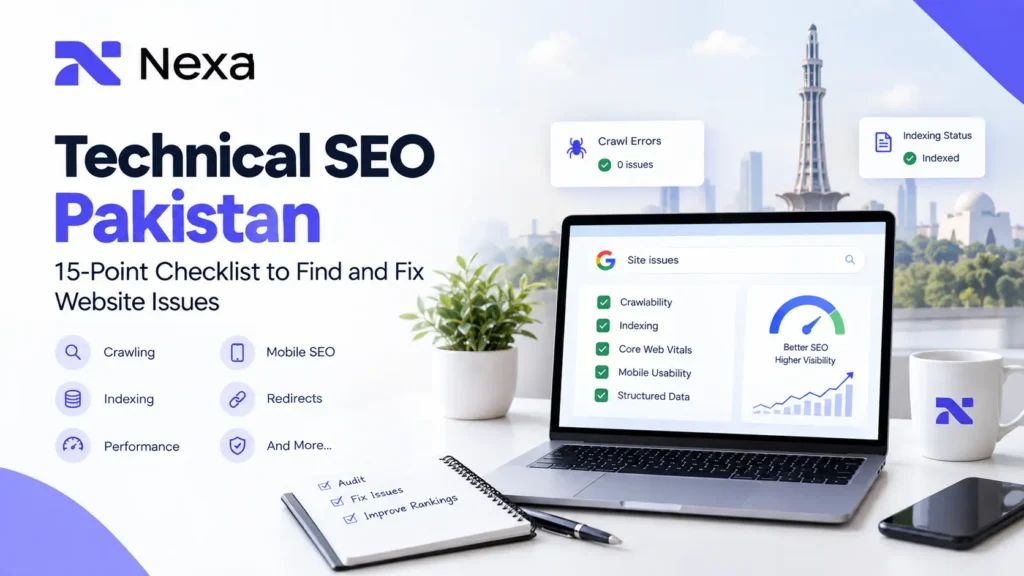
This 15-point Technical SEO checklist covers the issues most worth investigating, how to identify them, and what to do when you find them.
What Is Technical SEO?
Technical SEO is the process of improving the technical parts of a website so search engines can crawl, interpret, and index its important content effectively.
It covers areas such as:
- Website crawlability and indexability
- Site architecture and internal linking
- XML sitemaps and robots.txt
- Canonical URLs and duplicate content
- Redirects and HTTP status codes
- Mobile usability
- Page performance and Core Web Vitals
- JavaScript rendering
- Structured data
- Secure website delivery and other technical infrastructure
Google’s minimum technical requirements for a page to be eligible for Search are straightforward: Googlebot must not be blocked, the page must work with an appropriate HTTP success response, and the page must contain indexable content. Meeting those requirements does not guarantee indexing or ranking.
Technical SEO is not a ranking shortcut
A technically clean website does not automatically outrank a competitor with better content, stronger relevance, or greater authority.
The practical role of technical SEO is different: it removes technical barriers that can stop valuable pages from being discovered, crawled, rendered, indexed, or properly understood.
That distinction matters when evaluating a technical SEO audit. A tool may report hundreds of warnings, but one accidental noindex directive on an important service page can be far more significant than dozens of minor recommendations.
Technical SEO Checklist: 15 Website Issues to Check
| # | Technical SEO issue | What to check | Priority |
| 1 | Robots.txt blocking important URLs | Important pages/resources can be crawled | Critical |
| 2 | Accidental no index directives | Valuable pages are indexable | Critical |
| 3 | Poor crawlability and orphan pages | Important pages are discoverable through links | High |
| 4 | Broken links and 404 errors | Internal links lead to useful destinations | High |
| 5 | Redirect chains and incorrect redirects | Old URLs resolve to the correct destination | High |
| 6 | HTTP, HTTPS and server errors | Important pages return correct responses securely | Critical |
| 7 | Incorrect canonical tags | Preferred URL signals are consistent | Critical |
| 8 | Duplicate content and URL variations | Duplicate/near-duplicate pages are controlled | High |
| 9 | XML sitemap problems | Sitemap contains appropriate, working URLs | High |
| 10 | Poor URL structure | URLs are crawlable, logical, and stable | Medium–High |
| 11 | Weak site architecture and internal linking | Important pages are easy to discover | High |
| 12 | Poor Core Web Vitals and performance | Pages load, respond, and remain visually stable | High |
| 13 | Mobile SEO problems | Mobile content and functionality are complete | High |
| 14 | JavaScript rendering problems | Important content and links are available to Google | High |
| 15 | Incorrect or missing structured data | Markup accurately represents visible content | Medium |
1. Robots.txt Is Blocking Important Pages or Resources
A robots.txt file tells crawlers which URLs or resources they are allowed to request. It is useful for controlling crawling, but it should not be used as a general method for removing a page from Google’s index.
One common technical SEO mistake is accidentally disallowing a page, directory, JavaScript file, CSS resource, or other resource that Google needs to process the website.
Google specifically warns that a URL blocked by robots.txt can still potentially appear in Search if Google discovers the URL elsewhere. If the intention is to keep a page out of Search, a suitable noindex directive or another access-control method should be used instead.
What to check
Review:
- /robots.txt
- Important service pages
- Blog pages
- Product and category URLs
- JavaScript and CSS resources required for rendering
- Directories accidentally marked Disallow
How to fix it
Remove overly broad rules that block pages you actually want Google to crawl.
Do not copy a robots.txt configuration from another website simply because it looks “SEO-friendly.” The correct rules depend on your site’s structure and what you actually want crawled.
2. Important Pages Have an Accidental noindex
A noindex directive tells Google not to include a page in its search results.
This becomes a serious issue when a valuable page accidentally carries:
<meta name=”robots” content=”noindex”>
A page using noindex must remain accessible to crawlers so Google can see the instruction. If the same URL is blocked in robots.txt, Google may not be able to see the noindex directive.
What to check
Look at the pages that matter most:
- Homepage
- Main service pages
- Location pages
- Important blog posts
- Product pages
- Category pages
- Lead-generation landing pages
Use Google Search Console’s URL Inspection tool to check whether important URLs are currently eligible for indexing.
How to fix it
Remove accidental noindex directives from pages that should appear in Search.
Keep noindex for pages that genuinely should not be indexed, such as certain internal or intentionally excluded pages.
The goal is not to index every URL. The goal is to make sure Google can index the pages that deserve organic visibility.
3. Important Pages Are Difficult to Crawl or Have Become Orphan Pages
Google discovers many URLs through links from pages it already knows. This makes internal linking and website architecture important parts of technical SEO.
An orphan page is a page that has little or no useful internal linking from the rest of the website.
For example, a Pakistani digital marketing company might publish a valuable service guide but never link to it from its main service hub, related blogs, navigation, or other relevant pages.
The page technically exists, but its relationship to the rest of the site is weak.
What to check
Ask:
- Can Google discover the page through normal internal links?
- Is the page linked from relevant high-value pages?
- Does the navigation reflect the site’s actual hierarchy?
- Are important service pages buried several clicks deep?
- Are new articles connected to related existing content?
How to fix it
Build a logical structure such as:
Home → Service → Supporting Guide → Related Service
For example, a Technical SEO guide can naturally connect with an SEO service page, an SEO audit guide, and a website speed resource.
Google recommends crawlable links using standard HTML anchor elements with actual href URLs.
4. Broken Links and 404 Errors
Broken internal links create unnecessary friction for both users and crawlers.
A 404 response is appropriate when a resource genuinely no longer exists, but a valuable page that was accidentally deleted or moved can result in lost internal pathways and a poor user journey.
Common causes include:
- Deleted pages
- Changed URLs
- Website redesigns
- Incorrect internal links
- Old blog links
- Product removals
- Typographical errors in URLs
How to check
Use a crawling tool and Google Search Console to identify:
- Broken internal links
- Frequently linked 404 pages
- Important pages returning errors
- Broken links in navigation
- Broken links inside older articles
How to fix it
For a permanently moved page, redirect the old URL to the most appropriate new URL.
For a page that should no longer exist and has no relevant replacement, keeping a genuine 404 can be appropriate.
Avoid redirecting every deleted URL to the homepage simply to eliminate 404 reports. The replacement should make sense for the original visitor.
5. Redirect Chains, Loops and Incorrect Redirects
Redirects are useful when URLs move, websites are migrated, or outdated pages need to point to their proper replacements.
Google treats permanent redirects such as HTTP 301 and 308 as signals that the destination should become the canonical target. Temporary redirects such as 302 are handled differently.
A common problem is a redirect chain:
Old URL → Redirect 1 → Redirect 2 → Final URL
An even worse situation is a redirect loop where one URL keeps sending the browser back to another URL indefinitely.
What to check
Review:
- Redirect chains
- Redirect loops
- Redirects to irrelevant pages
- Old URLs still receiving backlinks
- Redirects created during redesigns
- HTTP-to-HTTPS rules
- Old domain-to-new-domain redirects
How to fix it
Whenever possible, send the old URL directly to the final relevant destination.
For example:
Old URL → Final URL
rather than:
Old URL → Temporary URL → New URL → Final URL
Google recommends server-side permanent redirects when a page has permanently moved and provides guidance for choosing redirect types.
This is particularly important during website redesigns and migrations, where URL changes can affect many pages simultaneously.
For businesses planning a major site restructuring, Nexa’s Website Redesign resource is also relevant because technical SEO should be considered before URLs and site architecture are changed.
6. HTTP, HTTPS and Server Response Problems
Google’s technical requirements state that a page must work and return an HTTP 200 success response to be eligible for indexing in the normal way. Server and client error responses can prevent pages from being indexed.
Technical problems can also create soft 404s. This happens when a page appears to be an error or empty page to users but technically returns 200 OK. Google can identify these situations and exclude such pages from Search.
What to check
Inspect:
- Important URLs returning 200
- Genuine deleted pages returning appropriate 404/410 responses
- Server errors such as 5xx responses
- HTTP-to-HTTPS redirects
- Mixed-content problems
- SSL certificate issues
- Incorrect canonical URLs using HTTP instead of HTTPS
How to fix it
Make sure important pages load correctly over HTTPS and resolve consistently to the preferred version of the site.
Server errors require investigation of the hosting environment, application, database, CDN, or server configuration rather than an SEO plugin alone.
7. Incorrect Canonical Tags
A canonical tag helps indicate the preferred URL when multiple URLs contain identical or substantially similar content.
For example, a website may expose several URL variations because of:
- Tracking parameters
- Filters
- Sorting
- Duplicate paths
- HTTP/HTTPS versions
- Alternate URL structures
Google explains that canonicalization is its process for selecting the representative URL from a group of duplicate or similar pages. Importantly, a rel=”canonical” declaration is a hint, not an absolute rule; Google can select another canonical URL based on other signals.
What to check
Ask:
- Does the canonical point to the intended URL?
- Does the canonical use HTTPS?
- Does it point to a relevant page?
- Are different signals pointing to different preferred URLs?
- Are redirected URLs being treated as canonical?
- Are important pages accidentally canonicalized to another page?
How to fix it
Make your canonical signals consistent across:
- Internal links
- Sitemaps
- Redirects
- rel=”canonical”
- Preferred URL structure
Google recommends avoiding conflicting canonical signals and does not recommend using robots.txt for canonicalization.
8. Duplicate Content and Uncontrolled URL Variations
Duplicate content does not automatically mean a website will be penalized.
The technical problem is more often URL duplication and poor consolidation.
Suppose an ecommerce store creates separate URLs for:
- Product sorting
- Color filters
- Brand filters
- Price filters
- Tracking parameters
The same or nearly identical content could become accessible through many URLs.
Google can group duplicate URLs and select a canonical version, but uncontrolled duplication can make crawling and site management less efficient.
Technical SEO for ecommerce websites
This is especially important for larger ecommerce stores, where filters and faceted navigation can create hundreds or thousands of URL combinations.
Check:
- Product variations
- Filter URLs
- Sorting parameters
- Search-result URLs
- Pagination
- Duplicate category pages
- Near-duplicate product pages
Your existing Ecommerce SEO Services in Pakistan guide already covers related technical areas such as crawling, indexing, canonicalization, faceted navigation, pagination, mobile usability, and structured data.
How to fix it
Decide which URLs genuinely deserve organic visibility.
Then use appropriate combinations of:
- Canonicalization
- Internal linking
- Robots directives
- noindex where appropriate
- URL design
- Site architecture
Do not automatically index every possible filter combination.
9. XML Sitemap Problems
An XML sitemap helps search engines discover URLs and understand information about pages on a website.
However, a sitemap is not a guarantee that every submitted URL will be crawled or indexed. Google describes sitemaps as useful signals and recommends using them to provide information about the pages you want discovered.
What to check
Your sitemap should be reviewed for:
- Broken URLs
- Redirected URLs
- Non-indexable pages
- Duplicate URLs
- Incorrect canonical versions
- Old pages
- Unwanted parameter URLs
- Missing important pages
A simple rule
The sitemap should generally represent the URLs you actually want search engines to discover and consider for indexing.
Do not treat the sitemap as a storage file for every URL your website has ever generated.
Google also advises against submitting unchanged sitemaps repeatedly and warns that a sitemap does not guarantee crawling or indexing.
10. Poor or Unclear URL Structure
SEO-friendly URLs are easier for users and search engines to understand.
A technically problematic URL structure may involve:
- Unnecessary parameters
- Extremely complex URL paths
- Inconsistent structures
- URLs that change frequently
- Fragment-based content navigation
- Multiple URLs for the same content
Google recommends a crawlable URL structure and notes that certain URL patterns can make crawling less efficient.
Example
A simple structure:
example.com/services/technical-seo/
is generally easier to understand than an unnecessarily complicated series of parameters.
For Pakistani businesses
Keep service, location, blog, and product URL structures logical.
For example:
Services
/seo-services-in-lahore/
Guides
/seo-audit-guide-pakistan/
Ecommerce
/ecommerce-seo-services-pakistan/
The important principle is consistency, not adding keywords to every part of a URL.
11. Weak Website Architecture and Internal Linking
Technical SEO is not limited to server settings.
The way pages connect to one another also determines how users and search engines navigate the site.
A good architecture makes relationships clear.
For example:
SEO
→ Technical SEO
→ SEO Audit
→ Local SEO
→ Ecommerce SEO
→ Website Speed
This allows supporting content to strengthen a broader topical structure.
Google states that crawlable links help it discover new pages and understand the relationship between pages through anchor text.
What to check
Identify:
- Important pages with very few internal links
- Orphan pages
- Excessively deep pages
- Unclear navigation
- Irrelevant internal links
- Blog posts with no connection to service pages
- Service pages that are isolated from supporting content
How to improve it
Link where the next page genuinely helps the reader.
For this article, relevant internal resources include Nexa’s:
SEO Audit Guide for Pakistani Businesses
Search Engine Optimization (SEO) Services
The objective is not to add as many links as possible. It is to create a useful information path.
12. Poor Core Web Vitals and Website Performance
A technically accessible website can still provide a poor experience when pages are slow, unresponsive, or visually unstable.
Google’s current Core Web Vitals focus on:
- LCP: loading performance
- INP: responsiveness
- CLS: visual stability
Google recommends aiming for an LCP of 2.5 seconds or less, INP of 200 milliseconds or less, and CLS of 0.1 or less for a good user experience at the relevant 75th-percentile threshold.
These metrics matter, but they should not be treated as a single ranking formula. Google makes clear that good Core Web Vitals do not guarantee top rankings, because Search considers many other factors.
Common causes of poor performance
- Large images
- Heavy JavaScript
- Slow server response
- Poor caching
- Excessive third-party scripts
- Heavy themes or page builders
- Unoptimized CSS
- Poor mobile performance
How to check
Use:
- Google Search Console
- PageSpeed Insights
- Chrome DevTools
- Real-user performance data where available
Nexa’s Website Speed Optimization guide covers the relationship between page performance, Core Web Vitals, mobile experience, and SEO in more detail.
13. Mobile SEO Problems
Google uses the mobile version of a site’s content for indexing and ranking as part of its mobile-first indexing system. This means a mobile version that is missing important content or functionality can create technical SEO problems.
What to check
Compare desktop and mobile versions for:
- Main content
- Headings
- Internal links
- Images
- Structured data
- Navigation
- Forms
- Product information
- Calls to action
Also test whether important elements are usable on smaller screens.
A page can be technically responsive while still being difficult to use. Tiny buttons, overlapping elements, slow interactions, and hidden content can create real usability problems.
For Pakistani businesses
Mobile testing is especially worth including in SEO audits for:
- Local businesses
- Service providers
- Ecommerce stores
- Restaurants
- Clinics
- Professionals
- Lead-generation websites
The technical principle is simple: make sure the mobile page contains and exposes the content users need.
14. JavaScript Is Preventing Important Content or Links From Being Understood
JavaScript can improve a website’s functionality, but search engines still need to process the resulting page correctly.
Google explains that its Search systems process JavaScript applications through crawling, rendering, and indexing. JavaScript-related problems can prevent content or functionality from appearing as expected in Search.
Problems to investigate
- Important content appears only after a script runs
- Internal links are generated in non-crawlable ways
- JavaScript fails for Googlebot
- Critical content depends on an API request
- Canonical tags are changed incorrectly through JavaScript
- noindex is introduced dynamically
- Important resources are blocked
Google also recommends making important content available in a form its systems can access and checking how Googlebot receives and renders the page.
How to fix it
Test important pages using Google Search Console’s URL Inspection tools and inspect the rendered output.
For JavaScript-heavy websites, involve the developer when technical changes affect:
- Rendering
- Routing
- Internal links
- Canonicals
- Structured data
- Indexing directives
Do not assume that because content appears correctly in a normal browser, Google must necessarily process it exactly the same way.
15. Incorrect or Missing Structured Data
Structured data gives search engines explicit clues about what a page represents.
Google explains that structured data can help its systems understand page content and, for supported types, may make pages eligible for enhanced search appearances. It does not guarantee that a rich result will appear.
What to check
Where structured data is appropriate, verify:
- The markup describes the actual page
- Required properties are present
- The information matches visible content
- There are no major validation errors
- Multiple conflicting implementations are not creating confusion
- Product information is accurate on ecommerce pages
Google recommends validating structured data during development and checking how the page is seen by Google.
Important distinction
Structured data should support search-engine understanding. It should not be treated as a shortcut for higher rankings.
For example, adding fake reviews, ratings, prices, or other unsupported information simply to obtain a richer-looking result is not a valid technical SEO strategy.
How to Perform a Technical SEO Audit in Pakistan
Fixing technical SEO issues is easier when the process follows a logical order.
Step 1: Start with the business-critical URLs
Do not begin by trying to fix every warning in an SEO tool.
Start with:
- Homepage
- Main service pages
- High-value location pages
- Product/category pages
- High-traffic blog posts
- Important lead-generation pages
Ask whether these URLs can be crawled, indexed, rendered, and reached through internal links.
Step 2: Review Google Search Console
Google Search Console is one of the most useful sources of first-party information for diagnosing technical SEO.
Review:
- Page indexing
- URL Inspection
- Search performance
- Sitemaps
- Core Web Vitals
- Crawl-related information
- Search-related warnings
Your existing SEO Audit Guide for Pakistani Businesses also uses Google Search Console as an important part of the audit process.
Step 3: Crawl the website
Use a technical SEO crawling tool to identify patterns across the website.
Look for:
- 4xx errors
- 5xx errors
- Redirect chains
- Canonical problems
- Missing or duplicate metadata
- Orphan pages
- Broken links
- Duplicate URLs
- Indexability problems
The tool’s report is a starting point, not a final diagnosis.
Step 4: Prioritize problems by business impact
A useful prioritization model is:
Critical: prevents important pages from being crawled or indexed.
High: affects important site sections, internal pathways, redirects, performance, mobile experience, or large groups of URLs.
Medium: improves technical clarity or efficiency but does not prevent important content from functioning.
This approach prevents teams from spending hours fixing low-impact warnings while a critical indexing problem remains unresolved.
Technical SEO for WordPress Websites
WordPress gives businesses considerable flexibility, but that flexibility can also create technical complexity.
A Technical SEO audit for WordPress should pay attention to:
- SEO plugin settings
- Accidental noindex
- Canonical tags
- XML sitemaps
- Theme-generated duplicate pages
- Plugin-generated URLs
- Pagination
- Internal linking
- Redirects
- Image performance
- JavaScript and CSS
- Mobile performance
Installing an SEO plugin is not the same as completing technical SEO.
A plugin can expose useful controls, but it cannot automatically understand every business decision behind your website architecture.
For example, whether a particular archive page should be indexed depends on the site’s content strategy and user value, not simply on whether a plugin offers an “index/noindex” checkbox.
Technical SEO for Ecommerce Websites
Ecommerce websites often require deeper technical review because product catalogs can produce large numbers of URLs.
Important areas include:
- Product and category indexation
- Canonical tags
- Faceted navigation
- Pagination
- Duplicate products
- Variant URLs
- Internal linking
- Product structured data
- Mobile usability
- Page speed
- XML sitemaps
A small structural error on a five-page business website may affect a handful of URLs. The same mistake on a large ecommerce store can affect hundreds or thousands of pages.
Nexa’s Ecommerce SEO Services in Pakistan resource provides additional context around product pages, category pages, faceted navigation, technical SEO, and indexation.
How to Fix Technical SEO Issues Without Creating New Problems
Technical SEO fixes should be implemented carefully because changing one technical signal can affect another.
For example:
Changing a URL
→ may require a redirect
→ may change the canonical
→ may require internal-link updates
→ may require a sitemap update
→ may affect existing search visibility.
Similarly:
Adding noindex
→ may solve an unwanted indexation problem
→ but will remove the page from Google’s search results once Google processes the directive.
That is why technical SEO should be handled as a connected system rather than a collection of isolated fixes. Google itself recommends considering crawling, indexing, canonicalization, redirects, URLs, sitemaps, mobile behavior, and other technical factors together.
How Technical SEO Supports Google Search and AI Search
Technical SEO also matters in newer search experiences.
Google’s current guidance says that the foundational SEO requirements for Google Search remain relevant to AI Overviews and AI Mode. There are no separate technical requirements or special markup required just to become eligible for those experiences.
A page must still be accessible, indexable, and eligible to appear in Google Search. Google also recommends strong internal linking, good page experience, useful text, and accurate structured data where applicable.
That means there is no separate technical “AI SEO trick” that replaces basic technical quality.
The practical approach is the same:
Crawlable → Renderable → Indexable → Understandable → Useful → Accessible
A Practical 15-Point Technical SEO Checklist
Before considering a technical SEO review complete, confirm:
- Important pages are not accidentally blocked by robots.txt
- Valuable pages do not have accidental noindex directives
- Important URLs are internally discoverable
- Broken internal links and unnecessary 404s are reviewed
- Redirects lead directly to the correct destination
- Important pages return appropriate HTTP responses
- HTTPS is configured consistently
- Canonical URLs are correct
- Duplicate URL variations are controlled
- XML sitemap contains appropriate URLs
- URL structures are logical and stable
- Important pages have strong internal-link relationships
- Core Web Vitals and mobile performance are reviewed
- JavaScript-rendered content and links can be processed
- Structured data is accurate and matches visible content
This checklist should be treated as a prioritization framework rather than a scorecard. A technically healthy website is not one with zero warnings; it is one where important technical risks have been identified and handled appropriately.
Turning Technical SEO Issues Into Opportunities
Effective Technical SEO in Pakistan is less about chasing every warning generated by an SEO tool and more about protecting the parts of your website that matter most.
Start with the fundamentals:
Crawlability → Indexability → Site Architecture → Canonicalization → Redirects → Performance → Mobile → Rendering → Structured Data
Then connect those technical improvements with useful content, relevant search intent, internal linking, and a strong user experience.
For a business investing in SEO, the technical foundation should make it easier—not harder—for Google to discover and understand valuable pages.
Nexa Digital Marketing provides on-page and technical optimization, SEO audits, performance tracking, and broader SEO services for businesses seeking stronger organic visibility. You can explore its Search Engine Optimization services to understand how technical SEO fits into a wider search strategy.
Frequently Asked Questions
1. What is technical SEO?
Technical SEO focuses on the technical aspects of a website that affect how search engines crawl, render, understand, and index its pages. It includes areas such as crawlability, indexability, site architecture, redirects, canonicalization, XML sitemaps, performance, mobile experience, JavaScript rendering, and structured data.
2. Why is technical SEO important for Pakistani businesses?
Technical SEO helps Pakistani businesses make important pages easier for search engines to access and understand. This is particularly useful for service websites, local businesses, ecommerce stores, and websites that depend on organic Google traffic for enquiries or sales.
3. What are the most common technical SEO issues?
Common problems include robots.txt blocks, accidental noindex directives, broken links, redirect chains, incorrect canonicals, duplicate URLs, sitemap problems, slow performance, mobile issues, JavaScript rendering problems, and weak internal linking.
4. How often should a technical SEO audit be performed?
There is no universal schedule. A technical review becomes especially important after a website redesign, migration, major URL changes, platform changes, significant content expansion, or when Search Console begins showing unexpected indexing or crawling problems. Ongoing monitoring is also useful for websites that change frequently.
5. What tools can I use for a technical SEO audit?
Google Search Console is an important starting point because it provides first-party information about indexing, URL inspection, sitemaps, search performance, and Core Web Vitals. Other crawling and performance tools can complement it by identifying technical patterns across larger parts of a website.
6. Does technical SEO guarantee higher Google rankings?
No. Technical SEO can remove barriers to crawling, indexing, rendering, and usability, but it does not guarantee rankings. Google considers many factors, including relevance, content quality, authority, and the overall usefulness of a page. Google explicitly states that satisfying its technical requirements does not guarantee indexing or serving in Search.
7. Is technical SEO different for WordPress and ecommerce websites?
The fundamentals are the same, but implementation can differ. WordPress sites often require attention to plugins, themes, archives, canonical settings, redirects, and performance. Ecommerce sites may have additional complexity from product variations, filters, faceted navigation, pagination, large catalogs, and product structured data.